Keywords: CVE-2026-43499 / GhostLock / futex / kernel privilege escalation / Pixel 7 / reconnaissance without root / KASLR.
Who this is for: Anyone with a test phone whose bootloader can no longer be unlocked and who wants to recover it, or anyone trying to port a kernel exploit to their own device.
Prerequisites: You know how to use adb, can read a little C, and are willing to put up with your phone rebooting dozens of times.
0. How it started
I have a European-model Pixel 7 that I use as a test phone. It used to have an unlocked bootloader, a custom AOSP build, and Magisk root. At one point, I used Google’s official web flashing tool to install an Android 17 beta. Afterward, the OEM unlocking toggle in Developer options was permanently greyed out. I could not get it back.
To me, a test phone without root is just a nice-looking brick. Since this was a test device, it had nothing on it anyway. I could experiment freely; at worst, it would reboot.
Around then, I came across GhostLock (CVE-2026-43499), a kernel vulnerability disclosed in July 2026 as part of Nebula Security’s IonStack exploit chain, and a post on 52pojie adapting it to the OnePlus 13T. In theory, this vulnerability exists in almost every Linux kernel since 2011, including Android kernels. Exploiting it requires no special privileges: you only need to run a program you compiled yourself. An adb shell is enough.
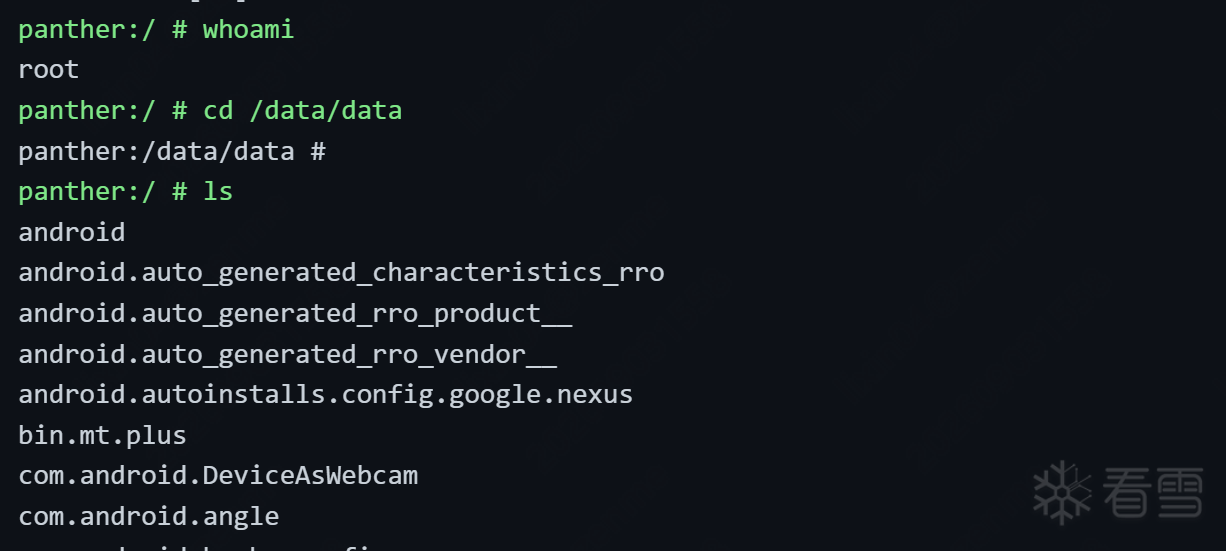
That was the beginning of this project. The eventual result was real root on this Pixel 7 with its locked bootloader: uid=0, the kernel SELinux domain, and SELinux globally permissive. It disappears after a reboot—tethered root—but that is enough for a test phone.
This article records the entire process, focusing on the pitfalls I ran into that neither of the earlier articles covered. If you want to port a kernel exploit to your own device, you will probably encounter some of them too.
1. GhostLock explained in plain language
First, a few terms:
- futex: A Linux system call used when threads wait for locks. When your program’s
pthread_mutex_lockcannot acquire a lock, it eventually uses a futex to queue up and sleep in the kernel. - PI, or priority inheritance: A mechanism that prevents priority inversion. Threads waiting on a PI lock are placed in a red-black tree ordered by priority, and the lock owner temporarily receives a priority boost.
- Stack UAF: The kernel continues reading or writing stack memory that is no longer valid. Think of a thread’s kernel stack as a temporary notebook: once a page is finished, it is discarded. If someone still holds a reference to that page and we can write our own contents onto it, the kernel ends up reading what we wrote.
The GhostLock bug is in remove_waiter() in the kernel’s rtmutex.c. When removing a waiter, it clears the wrong thread’s flag: the flag belonging to the thread that initiated the requeue, rather than the thread actually waiting. An rt_mutex_waiter structure that should have been removed remains attached to the priority tree like a ghost, pointing into an invalid kernel stack.
Triggering it takes three futex variables and three threads, all running with ordinary privileges:
- The waiter thread acquires
f_pi_chain, then waits onf_wait, expecting to be requeued ontof_pi_target. - The owner thread acquires
f_pi_target, then tries to acquiref_pi_chain, which the waiter holds. It blocks. - The main thread calls
FUTEX_CMP_REQUEUE_PIto move the waiter ontof_pi_target.
The kernel checks the dependency chain: the waiter needs the target, the owner holds the target, the owner needs the chain, and the waiter holds the chain. Deadlock! The kernel rolls back the operation, hitting this 15-year-old bug in the rollback path. The waiter’s flag remains uncleared.
Once the waiter returns to userspace, we can overwrite that invalid kernel-stack region. Choose a system call with a large stack buffer—pselect, prctl, or TCP zerocopy—and place a forged waiter structure there. Another thread then calls sched_setattr on the waiter to change its nice value, which also requires only ordinary privileges. The kernel follows the ghost pointer through the priority chain, reading the forged data. With the right contents, a red-black-tree deletion becomes a write of a pointer to an arbitrary kernel address.
The rest follows from there. First, change the boot_id sysctl pointer and read it back to leak the kernel base, defeating KASLR. Then hijack the ashmem device’s function table, using legitimate configfs functions to bypass CFI and obtain arbitrary kernel reads and writes. Finally, patch the current process’s cred structure to change its UID to 0.
That all sounds perfect in theory. Making it work is the hard part. The original exploit supported the Pixel 10 running Android 17. The 52pojie author adapted it to a OnePlus 13T with a 6.6 kernel, but already had root. My Pixel 7 runs kernel 6.1.145, has no root, has a locked bootloader, and has all the debugging channels blocked. Here is what the actual porting process looked like.
2. First step: inspecting the kernel without root
Porting the exploit requires three kinds of information: kernel symbol addresses relative to _text, structure-member offsets for types such as task_struct, cred, and rt_mutex_waiter, and memory-layout constants such as the physical load address.
The OnePlus author read /proc/kallsyms and BTF directly from a rooted device. I had no root, and accessing those files from a shell returned Permission denied.
Fortunately, Google publishes factory images for Pixel devices, and those images contain the complete kernel. My process was:
- Read the exact build identifier with
adb shell getprop ro.build.fingerprint. Mine wasBP4A.251205.006. - Download the matching factory image and verify its SHA-256 against Google’s official download page. Verification matters if you want to be sure it really is the same build.
- Unpack the image, extract
boot.img, and use its header to separate out the compressed kernel. - Use the open-source tool
vmlinux-to-elfto reconstruct an ELF file containing more than 100,000 symbols from the compressed kernel. - Extract structure offsets from the GKI kernel’s embedded BTF—essentially the kernel’s own structure reference manual. I wrote a BTF parser to export all the structure members directly.
- For static variables absent from kallsyms, such as
ashmem_miscand theboot_identry inrandom_table, I wrote a small tool to locate them in the ELF using pointer patterns.
At that point, I had all the offsets without root. Since they came from the same image as the phone, they matched the running build.
A detour: Google’s downloads were rate-limited
The factory-image URL on dl.google.com returned HTTP 429 for my outbound IP. Google’s China mirror, googledownloads.cn, did the same. I eventually searched for panther-bp4a.251205.006-factory-4455f800.zip in a browser and found a download on an Indian website. Getting that file took a lot of effort!
3. Second step: checking whether the vulnerability is present
The vulnerability was fixed in May 2026, with the fix reaching Android patches in June and July. My phone was still on the December 2025 patch, so it should have been vulnerable. But theory was not enough; I needed to test it.
The community already had a detector app, CakesTwix/Android-CVE-2026-43499. I installed it and ran it. The phone immediately kernel-panicked and rebooted.
That sounds alarming, but I took it as good news: the panic indicated that the vulnerable path was reachable and present. It was only a reboot on a test phone, so that was fine.
Warning: From this point onward, expect many kernel panics and reboots. That is routine in kernel exploit development. Do not keep important data on the test phone.
4. Third step: choosing the right starting point
The generic chain in NebuSec’s repository targets the Pixel 10 with a 6.6 or 6.12 kernel. However, its targets directory also contains a complete standalone version for oriole, the Pixel 6. The Pixel 6 and my Pixel 7 share the android14-6.1 GKI branch, their structure layouts are very similar, and the oriole version is a standalone executable that runs directly from an adb shell. That fit my situation perfectly.
I therefore used the oriole version as my template and replaced its offsets and memory-layout constants with the values for panther.
The following pitfalls became increasingly subtle. Finding each one took testing on the real device and a great deal of reasoning.
Pitfall 1: KernelSnitch cannot find the workspace—the slab stride differs from the structure size
The exploit uses a timing side channel called KernelSnitch to find our own workspace page in the kernel heap. The forged waiter needs to live on a kernel page whose address we know. The technique is clever: the kernel incorporates the mm_struct address into the futex hash-table bucket index. Differences in futex wake-up timing can reveal that address.
Its brute-force search steps through the slab page using sizeof(mm_struct). BTF reported a structure size of 960 bytes. I entered that value, and the search failed.
The reason is that a slab object’s stride can differ from its structure size. The mm_struct cache uses SLAB_HWCACHE_ALIGN, so objects must align to the CPU’s cache writeback granule, or CWG, which is commonly 128 bytes on ARM64. Rounding 960 up to a multiple of 128 gives 1024. The oriole template already used 1024; my supposedly clever change to 960 broke it.
The lesson: BTF gives you the logical structure size. The slab stride reflects the allocation size after alignment. Those values often differ in the kernel.
Pitfall 2: EDEADLK and chain traversal work, but the write never happens—using crashes as probes
After I fixed the stride, KernelSnitch found the workspace. The vulnerability triggered reliably: every requeue returned EDEADLK. The kernel also read the forged waiter from the stack spray. Deliberately placing a garbage pointer there caused an immediate panic, proving that the kernel had read it. Yet the critical red-black-tree write still did not happen.
With no kernel-log access—both dmesg and pstore required root—what could I do? I used whether the phone crashed as a probe:
- Set the forged waiter’s
taskfield to0x4141414141414141. It crashed, showing that chain traversal reached my forged waiter. - Change the write target to an address on my own page. It crashed again, suggesting a problem with the target address.
- Narrow the possibilities step by step, eventually finding the two actual problems described in pitfalls 3 and 4.
Without kgdb, whether it crashes and the stage at which it crashes can be your only debugger.
Pitfall 3: winning the red-black-tree priority contest—changing 0 to 1000
This was the most convoluted problem in the whole article. I will try to explain it simply.
The crucial write happens in branch [11] of the kernel’s priority-chain adjustment. The kernel performs that deletion and write only when the forged waiter becomes the lock’s highest-priority waiter.
During rollback, the kernel leaves a self-linked “already deleted” marker, RB_EMPTY_NODE, in the old waiter’s red-black-tree node. On oriole, the stack spray happens to overwrite that marker. In my kernel build, the TCP zerocopy stack frame was shifted by 8 bytes, so the spray missed it. A cleanup path was therefore skipped, the forged waiter never became the highest-priority waiter, and the write never happened.
The fix was crude but effective: set the priority of another node in the forged tree, w0, to 1000—a very large number and therefore a very low priority. Our forged waiter would then win the comparison, branch [11] would execute, and the write would happen.
The lesson: the same stack-spray primitive can shift by a few bytes after a compiler change or a minor kernel-version change. These hidden offsets appear in no header file. You have to test on the actual device.
Pitfall 4: the kernel’s physical load address—0x80000000 or 0x80010000?
The first KASLR-defeat step, leaking the slide, uses the linear-mapping alias: the fixed virtual mapping of physical memory, unaffected by KASLR. It depends on the physical address at which the kernel image was loaded. A common convention is the start of DRAM plus 0x10000. The OnePlus device used that value in testing, so I copied it.
All the prerequisites worked, and the write triggered—then the phone panicked immediately. The write landed 0x10000 away from its intended target, inside the read-only kernel code segment. Writing there caused the crash.
The correct value was 0x80000000. The Pixel 7 bootloader followed text_offset=0 in the kernel Image header and placed the kernel at the start of DRAM. After that correction, the leak worked on the first attempt. Reading /proc/sys/kernel/random/boot_id produced a fake UUID that decoded to the kernel base.
The lesson: verify all three physical-layout values on the target device—the DRAM base, the kernel’s physical load address, and the linear-mapping base. Do not simply copy them. Check the device-tree node name, /sys/firmware/devicetree/base/memory@80000000, the image header’s text_offset, and the result of an actual run.
Pitfall 5: debug prints disrupt the race
This was the most frustrating one. The second-stage race between the stack spray and the sched_setattr chain traversal has a sub-millisecond window. For debugging, I added a printf every time the consumer thread triggered. The success rate immediately dropped to zero. The few milliseconds spent printing were enough to miss the race window.
Removing the hot-path print immediately restored success.
The lesson: when debugging a race-based exploit, use one-time logs for initialization and stage transitions. Do not print on every loop iteration. Observing the operation changes its behavior—the kernel-exploit version of the uncertainty principle.
Pitfall 6: ashmem was renamed in Android 16
Starting with Android 16, the ashmem device node is named /dev/ashmem<boot_id for the current boot>. The first step of the slide leak temporarily corrupts boot_id. On a second run, constructing the device path from that value produces a nonexistent path and the error no usable ashmem device.
The fix: enumerate /dev/ashmem* directly instead of constructing the name.
5. The moment it worked
After fixing all the pitfalls, the entire exploit chain completed:
[+] stage 1 complete base=ffffffd1d2c00000        <- KASLR defeated
[+] stage 2 workspace ready                     <- fops hijacked
[*] phys step probed read done ok=1              <- arbitrary physical read/write
[+] root ready uid=2000->0 ...                   <- cred patched
uid=0(root) gid=0(root) ... context=u:r:kernel:s0 <- real root
Permissive                                      <- SELinux globally permissive
I added a small daemon, rootd, at the end of the exploit. It listens on 127.0.0.1:7777 and gives any connecting client a root shell. I also wrote a local web terminal on 127.0.0.1 so I could enter commands directly in a browser. After a reboot, running reroot.sh restores root in two minutes.
6. The unfinished final step: permanent root
To be clear, this is tethered root: a reboot removes it. For persistence, I would need to unlock the bootloader and install Magisk, but I have not managed to unlock it again.
After obtaining root, I tried the following:
- Set the
DEVICElock bit in Citadel, the Titan M security chip, to 0. This succeeded and survived a reboot. I did it by calling theandroid.hardware.oemlock.IOemLockAIDL HAL directly after obtaining root, bypassing the Settings interface. - However, fastboot’s
get_unlock_abilityonly checks theCARRIERlock bit, which remained 1. Changing that requires aCarrierUnlockRequest{version, nonce, signature}. The signature is issued by Google’s server for a device challenge—the normal “check in online, then toggle the setting” process. It cannot be forged offline.
Permanent unlocking is therefore still blocked by a security chip’s signature requirement. The remaining ideas, for anyone interested in continuing, are:
- Call
citadelddirectly and use the AVB app’sCarrierLock(locked=false, device_data). That request has no signature field, so perhaps it would be accepted directly. - Reverse-engineer ABL, the bootloader, to determine the exact condition used by
get_unlock_ability. - Investigate the AVB app’s owner-key interface,
SetOwnerLockandGetOwnerKey, to see whether a self-signed token is possible.
7. A reusable process for porting exploits between devices
If you want to port a kernel exploit to your own device, here is my checklist:
- Start with static analysis of the matching official image. Extract everything before testing on the phone: kallsyms with
vmlinux-to-elf, structures from BTF, static variables through pointer-pattern searches, and memory layout from the image header and device tree. - Structure-member offsets can change silently. Even minor releases within the same major version can differ. In this port,
fileoperations,task_struct.pi*, andmm_structall differed from the template. Verify each one against the target’s BTF instead of copying a target header. - Hardening settings determine which techniques work. Check
config.gzbefore choosing an approach:UBSAN_TRAP,PANIC_ON_OOPS,KASAN/MTE,INIT_ON_ALLOC, and so on. - Without logs, use crash probes. Try a garbage pointer or a different target address and observe whether it crashes. Turn an uninformative lack of response into evidence at each step.
- Keep logs out of a race exploit’s hot path. Debug the static stages first. For the race itself, use reasoning and parameter tuning, with some luck.
- Change one variable at a time. Compile A/B variants and alternate between them. That is much faster than guessing blindly.
8. References and acknowledgments
- Nebula Security’s IonStack series, for the vulnerability discovery and original exploit:
- The 52pojie article “[Original] Attempting root privilege escalation with GhostLock / IonStack on a OnePlus Ace 5 Supreme Edition, kernel 6.6.89” (
[原创]一加ACE5至尊版 kernel 6.6.89 尝试利用 GhostLock / IonStack 进行 root 提权), described in the source as the OnePlus 13T 6.6-kernel adaptation and the starting point for this work. - Vulnerability detector app.
- vmlinux-to-elf.
- Exact kernel source: the
android14-6.1.145_r00tag in AOSP’skernel/commonrepository. In China, it can also be fetched through the Tsinghua TUNA mirror.
This research was conducted only on my own test device. The vulnerability information has been public for some time and official fixes are available. Please do not use this method on devices that do not belong to you.